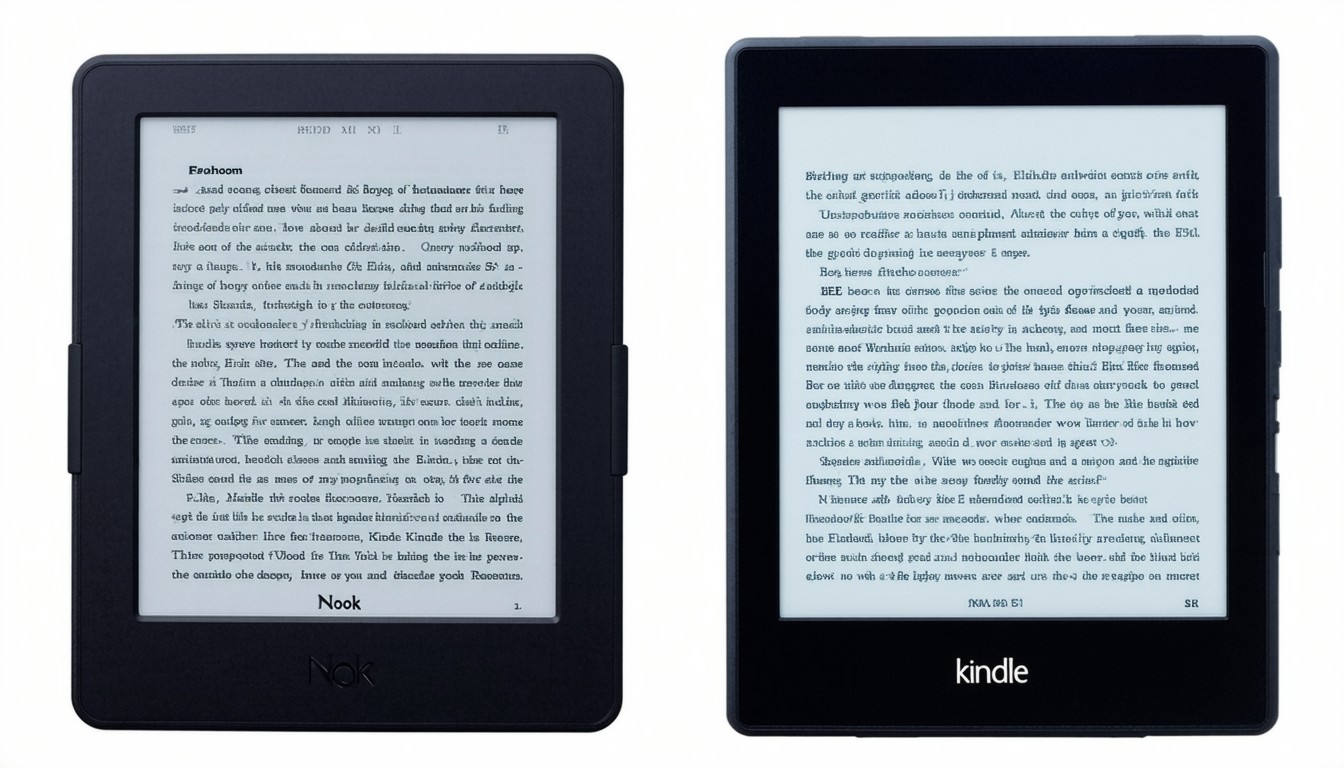
When it comes to digital reading, two names dominate the e-reader market: Amazon’s Kindle and Barnes & Noble’s Nook. Over the past decade, these devices have transformed how people access, buy, and consume books, making entire libraries fit into the palm of a hand. As the lines between tech and literature continue to blur, the “Nook vs Kindle” debate has become essential for anyone considering a dedicated e-reader. Each ecosystem boasts unique features, strengths, and a dedicated fanbase—making the choice more nuanced than it might first appear.
Comparing Hardware: Design, Display, and Battery Life
Both Kindle and Nook have refined their hardware offerings over the years, releasing multiple generations and models tailored to various budgets and preferences. However, direct comparisons highlight meaningful differences that could sway a user one way or the other.
Display Technology and Comfort
Kindle and Nook’s flagship models, such as the Kindle Paperwhite and Nook GlowLight 4, both employ glare-free E Ink displays. These screens mimic printed paper and reduce eye strain compared to standard tablets. High-resolution displays (300 ppi or higher) are now common at most price points, ensuring crisp text and clear images.
The Kindle Oasis stands out for its adaptive warm light and ergonomic page-turn buttons, appealing to power readers. Meanwhile, the Nook GlowLight 4e offers customizable fonts and night mode but generally maintains a more traditional approach.
Build, Portability, and Battery
Consumers have consistently praised Kindle devices for their slim profile and lightweight build, making hours-long reading sessions easy. A typical charge can last for weeks—sometimes up to six in the case of mid-range Kindles. Nook readers are comparable in weight and size but tend to lag slightly in battery longevity, a difference most evident under heavy use or when illumination is frequently active.
“For readers who prize ultimate portability and battery life, Kindle often leads, but the gap is narrowing,” observes Andrew Rhomberg, founder of personalized reading platform Jellybooks.
Content Ecosystem: Availability, Formats, and Storefronts
The heart of any e-reader experience is the content ecosystem: the storefronts, file compatibility, and user rights that shape how books are accessed and enjoyed.
Book Selection and Pricing
Amazon’s Kindle Store is widely regarded as the most extensive e-book marketplace, with access to millions of titles across every genre—frequently at competitive prices. Exclusive deals, self-publishing opportunities, and unique programs like Kindle Unlimited amplify this advantage.
Barnes & Noble’s Nook store, while robust, generally offers a narrower selection. That said, it retains an edge in supporting local libraries via OverDrive integration, allowing users to borrow digital books with a library card—an invaluable feature for many budget-conscious readers.
File Formats and Flexibility
Kindle’s proprietary AZW format means that content purchased from Amazon is tightly integrated with the ecosystem, but sideloading personal files (via MOBI, PDF, or now EPUB with conversion) is possible, albeit with some limitations.
Nook, on the other hand, natively supports EPUB—a popular, open e-book standard. This makes it friendlier for readers who acquire books from multiple sources or enjoy sideloading professionally formatted files. This open approach appeals to readers wary of being locked into a single retailer’s ecosystem.
User Experience: Customization, Features, and Navigation
Beyond book selection and hardware, real-world usability can make or break an e-reader purchase. Both Kindle and Nook offer extensive font and margin customization, adjustable lighting, and dedicated note-taking and highlight tools.
Reading Experience and Personalization
Kindle’s Whispersync technology enables seamless syncing across devices and the Kindle app, allowing readers to pick up exactly where they left off—whether on an e-reader, smartphone, or desktop.
Nook’s reading features include in-platform bookmarking, note-taking, and a quick dictionary lookup. However, these features sometimes lack the polish and cross-device sync that have become hallmarks of the Kindle suite.
Additional Features
- Kindles increasingly feature waterproof builds, making them ideal companions for poolside or bath reading.
- Nook displays are generally more limited in terms of waterproofing but feature a physical home button, which some users find more tactile and satisfying.
- Both devices offer parental control tools and subsets of children’s content, but Amazon’s FreeTime and integration with educational content are more extensive.
Price and Value: Models for Every Budget
The Kindle family starts at the base Kindle (entry-level, often under $100), followed by the Paperwhite (the best balance of price and features for most readers), and culminating in the Oasis (premium build and features).
The Nook line mirrors this structure, with the Nook GlowLight 4e catering to budget readers and the GlowLight 4 targeting those seeking a high-end feel. Price differences are modest but can swing with special sales or bundled offers—especially during shopping seasons.
Real-World Scenarios: Who Should Choose Nook or Kindle?
For Avid Readers and Series Lovers
Kindle’s ecosystem, speedy page turns, and advanced features make it ideal for high-volume readers, especially those who frequently buy the latest bestsellers or rely on subscription services.
For Library Enthusiasts and Format Flexibility
If public library access is a priority, Nook’s tighter integration with OverDrive can be decisive. Likewise, those who value open formats and independence from a single vendor will often find Nook more accommodating.
When Ecosystem Is Everything
Kindle’s robust ecosystem, with Audible integration for audiobooks and a sprawling third-party accessory market, is tough to beat. However, the sense of independence afforded by Nook’s EPUB-first strategy shouldn’t be underestimated by privacy- or flexibility-minded users.
Expert Insights and Industry Trends
E-readers have weathered the rise of smartphones and tablets by focusing on reading-first experiences and reducing digital distractions. Both Kindle and Nook have carved out loyal communities and continue to evolve in response to user demands.
Many independent publishing experts, like literary technologist Jane Friedman, highlight a key takeaway:
“The right e-reader comes down to two factors: what you like to read, and how you want to read it. Both Kindle and Nook have matured into excellent platforms—your preferred experience may be shaped by something as personal as page-turn feel or your local library’s offerings.”
Conclusion: Making the Best Choice for Your Reading Life
Choosing between Nook and Kindle is less about technical superiority and more about aligning features with your reading preferences, existing digital library, and desired level of ecosystem integration. For most, Kindle edges ahead with a mature ecosystem, abundant choices, and seamless device syncing. Yet for readers seeking format flexibility, library borrowing power, and an open platform, Nook remains a compelling alternative.
Smart buyers will consider not just hardware specs, but also where they plan to get books, what kind of reading they do, and how much integration with other digital services matters in their day-to-day lives.
FAQs
Which e-reader is better for library books: Nook or Kindle?
Nook offers direct OverDrive integration, making library borrowing fast and simple. Kindle users can access library books using Libby and Send to Kindle features, but the process requires a few extra steps.
Can you use both Kindle and Nook apps on your smartphone or tablet?
Yes, both Amazon and Barnes & Noble offer free reading apps on major platforms, so you can continue your books on almost any device—even if you buy a dedicated e-reader.
Are Kindles limited to Amazon-purchased e-books?
Kindles are optimized for Amazon’s books but support sideloading personal documents and converted EPUB files. However, their proprietary format does restrict certain types of content without conversion.
Do Nook devices support audiobooks?
Some Nook models provide audiobook support, but Kindle’s integration with Audible is broader and more seamless.
Which device tends to have better battery life?
Kindle devices generally lead in battery performance, often lasting several weeks per charge under standard reading conditions.
Is it possible to read PDFs and other file types on these e-readers?
Both Nook and Kindle can display PDFs and a range of other file formats, but the experience may vary. PDF support is basic and may not scale well on small screens.